
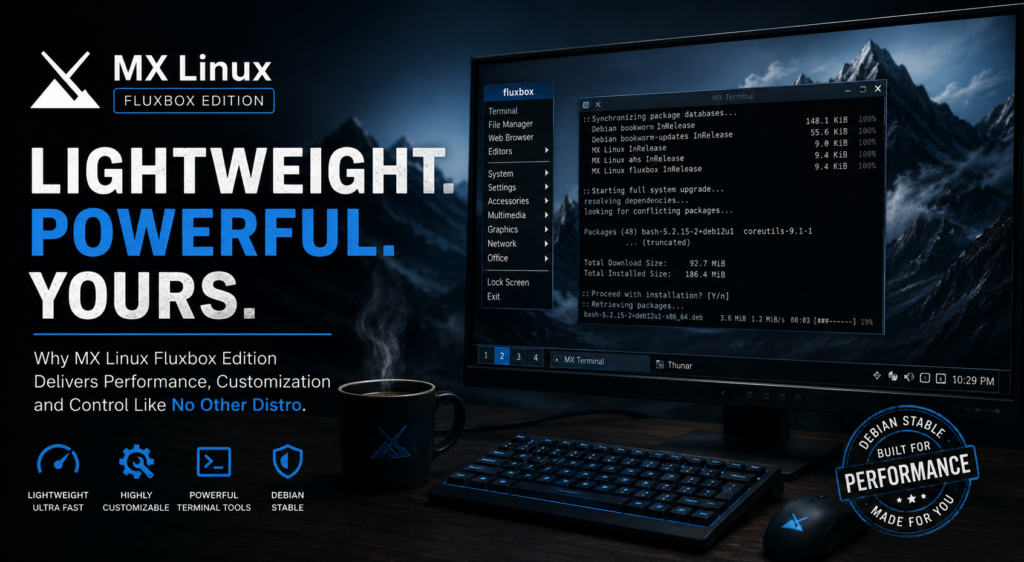
My New Favorite Distro!
If you’ve been distro-hopping searching for the perfect balance between speed, stability, customization, and low resource usage, there’s a good chance you’ve overlooked one of Linux’s hidden gems: MX Linux Fluxbox.
While most modern Linux desktops chase flashy effects and heavier desktop environments, MX Linux Fluxbox takes a completely different approach. It focuses on efficiency, responsiveness, and giving users complete control over their desktop experience — without sacrificing usability.
For users who want a fast, minimalist system that still feels powerful and polished, this distro hits a seriously unique sweet spot.
What Is MX Linux Fluxbox Edition?
MX Linux is a Debian-based Linux distribution known for stability, simplicity, and lightweight performance. It already has a reputation for being one of the best Linux distros for older hardware, but the Fluxbox edition takes that philosophy even further.
Instead of using heavier desktop environments like GNOME or KDE Plasma, this edition uses the ultra-lightweight Fluxbox window manager.
The result?
- Lightning-fast boot times
- Extremely low RAM usage
- Minimal CPU overhead
- Smooth multitasking
- A highly customizable desktop environment
- Full control over workflows and appearance
MX Linux officially describes Fluxbox as a “fully integrated overlay” designed specifically for MX Linux rather than just a basic standalone install.
Performance That Feels Instant
One of the biggest reasons people fall in love with MX Linux Fluxbox is performance.
Modern desktop environments can feel bloated, especially on older hardware. Even lightweight environments like Xfce can still consume noticeably more system resources than Fluxbox.
Fluxbox strips away unnecessary overhead and focuses purely on speed and responsiveness.
Users regularly report that:
- Applications launch faster
- Desktop navigation feels more responsive
- Older laptops become usable again
- Background resource usage stays incredibly low
The distro is specifically noted for its “very low resource usage” and suitability for limited hardware.
Even Reddit users comparing it against Xfce mention that Fluxbox feels dramatically lighter:
“Compared to xfce or kde, the difference in performance is superb.”
That makes MX Fluxbox ideal for:
- Older laptops
- Small home servers
- Virtual machines
- Minimalist workstations
- Productivity-focused setups
- Developers who want maximum system responsiveness
Fluxbox Is Minimal — But Incredibly Powerful
At first glance, Fluxbox can appear deceptively simple.
But underneath that lightweight interface is one of the most customizable window managers in Linux.
Unlike heavily locked-down desktop environments, Fluxbox gives users direct access to configuration through editable plain-text files.
This means you can customize almost everything:
- Window behavior
- Keyboard shortcuts
- Menus
- Workspace layouts
- Panels
- Dock systems
- Auto-grouped applications
- Window rules
- Themes
- Right-click menus
- Toolbar positioning
One of Fluxbox’s most underrated features is the Apps File, which allows application-specific behaviors and window management rules.
For advanced users, this becomes insanely powerful.
You can create workflows where:
- Apps automatically open on specific workspaces
- Windows auto-group together
- Certain applications launch borderless
- Floating layouts behave differently depending on use case
It’s the kind of customization that feels closer to a tiling window manager — while still remaining approachable.
A Desktop That Feels Truly Yours
This is where MX Linux Fluxbox becomes genuinely unique.
Most modern desktop environments give users “theme customization.”
Fluxbox gives users environment customization.
The desktop becomes more like a toolkit than a fixed experience.
You can:
- Build ultra-clean minimalist desktops
- Create retro hacker-style terminals
- Build productivity-focused layouts
- Design keyboard-driven workflows
- Use docks, launchers, or completely menu-driven setups
The right-click root menu system is one of the standout features.
Instead of relying on a traditional desktop launcher, you can access your entire application ecosystem instantly from anywhere on the desktop.
It feels fast, direct, and surprisingly efficient once muscle memory kicks in.
MX Tools Make Everything Easier
One thing that separates MX Linux from many lightweight distros is usability.
A lot of minimal Linux systems become difficult because they expect users to configure everything manually.
MX Linux avoids that problem with its excellent built-in toolkit called MX Tools.
These tools simplify:
- Driver management
- Kernel installation
- System cleanup
- Package management
- Live USB creation
- Snapshot backups
- Repository configuration
- Desktop tweaks
- Fluxbox integration
So while Fluxbox itself stays lightweight and minimal, MX Linux layers on a genuinely user-friendly management experience.
This is one of the reasons MX Linux consistently attracts both beginners and advanced Linux users.
The Update System Is Weirdly Satisfying
One of the most underrated parts of MX Linux is its update experience.
Unlike many modern operating systems that hide everything behind silent progress bars, MX Linux embraces transparency.
When updating the system, users can actually watch the terminal activity in real time.
You see:
- Packages downloading
- Dependencies resolving
- Services restarting
- Kernel updates applying
- Repository activity happening live
For Linux users, this creates a stronger feeling of system awareness and control.
Instead of updates feeling like mysterious background processes, you feel connected to what your machine is actually doing.
It also makes troubleshooting significantly easier because errors and package conflicts are immediately visible.
That small detail gives MX Linux a more authentic “Linux power-user” feel without becoming intimidating.
Surprisingly Modern Despite Being Lightweight
People often assume lightweight Linux distros look outdated.
MX Linux Fluxbox proves otherwise.
The MX team has heavily customized the Fluxbox environment with:
- Tint2 panels
- Modern themes
- Dock support
- Improved menus
- Enhanced application launchers
- Workspace tools
- Integrated MX utilities
Recent versions even include tiling shortcuts, dock managers, desktop icon tools, and panel configuration systems.
The result is a desktop that feels lean and efficient without looking ancient.
Debian Stability Is a Huge Advantage
Underneath all the customization and lightweight design sits one of Linux’s strongest foundations: Debian.
MX Linux is based on Debian Stable, which means:
- Excellent package reliability
- Massive software repositories
- Strong security support
- Long-term stability
- Fewer unexpected breakages
MX Linux combines that Debian reliability with its own tools and optimizations, creating a distro that feels stable enough for daily use while still staying flexible.
Who Is MX Linux Fluxbox Best For?
MX Linux Fluxbox is especially good for:
Minimalists
People who want a clean, distraction-free environment.
Power Users
Users who enjoy customizing workflows and desktop behavior.
Older Hardware
Laptops and desktops that struggle with modern heavyweight desktops.
Developers
People who value responsiveness and keyboard-driven workflows.
Linux Enthusiasts
Users who enjoy learning and tweaking their systems.
Anyone Tired of Bloat
If modern operating systems feel overloaded and sluggish, Fluxbox can feel refreshing.
Final Thoughts
MX Linux Fluxbox feels like a reminder of what made Linux exciting in the first place.
It’s lightweight without feeling crippled.
Minimal without feeling empty.
Customizable without becoming chaotic.
The combination of:
- Debian stability
- Fluxbox efficiency
- MX Tools usability
- Deep customization
- Low system overhead
creates a distro that feels incredibly intentional.
In a world where operating systems keep getting heavier, MX Linux Fluxbox goes in the opposite direction — and somehow ends up feeling more powerful because of it.
If you’ve never tried it before, this might be the distro that completely changes how you think a Linux desktop should feel.